
 +86-13926505109
 info@aiotomni.com




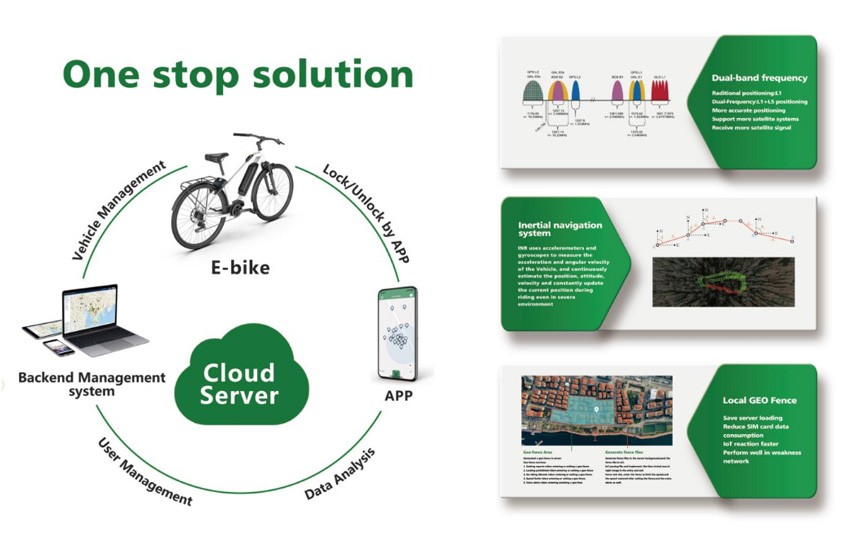
What is a Bike Sharing App?
The following is the latest and most detailed functional description of the bike sharing app,allowing everyone to obtain what the bika sharing app is in the first place.
Phone Number Login
Enter the vehicle number and use a phone number verification code to log in.The user must read and agree to the user agreement and privacy policy in bike sharing app before logging in.
QR Code System in Bike Sharing APP
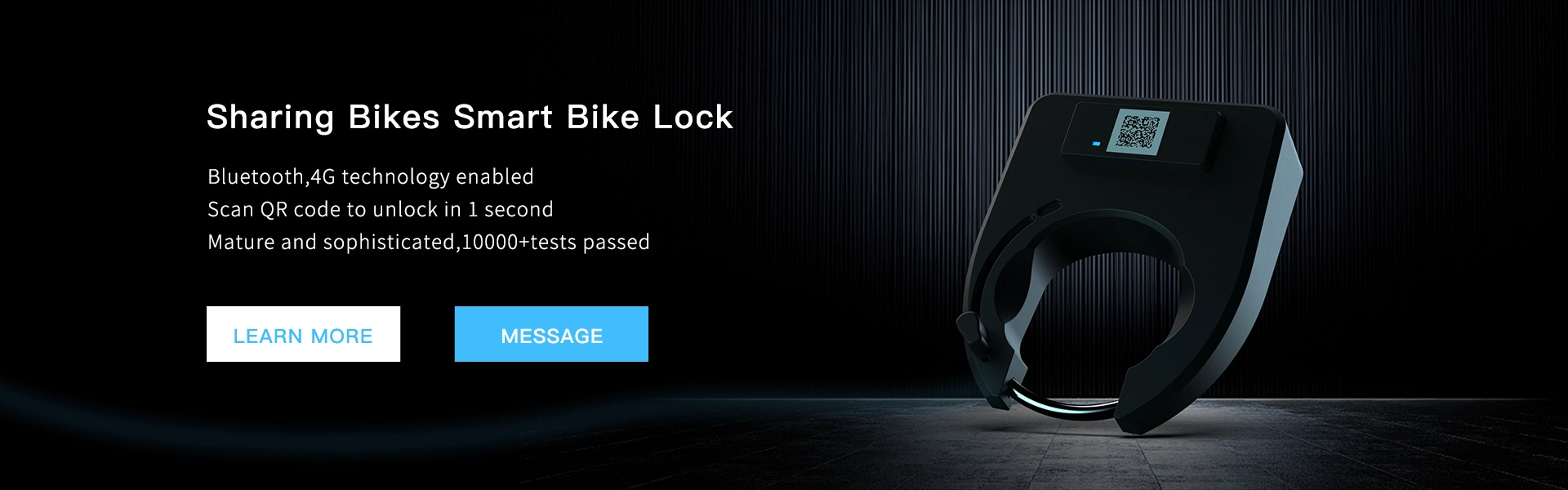
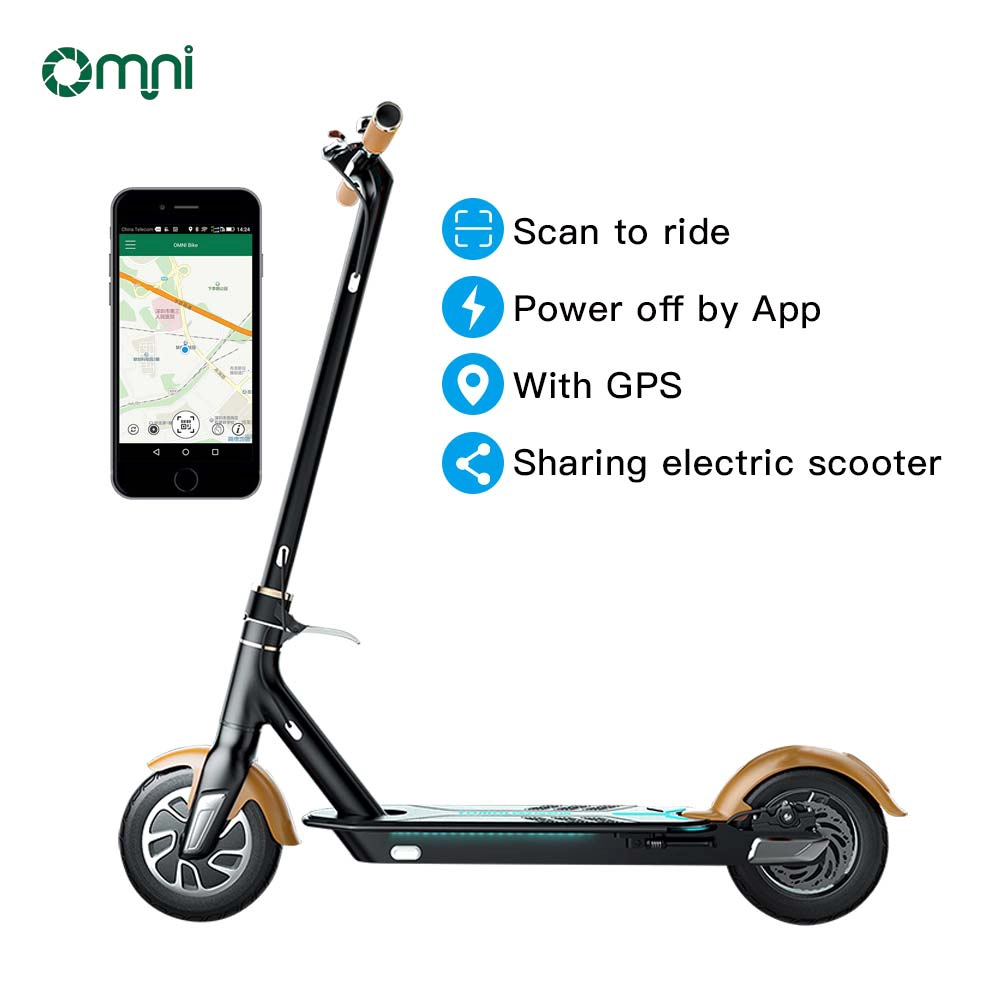
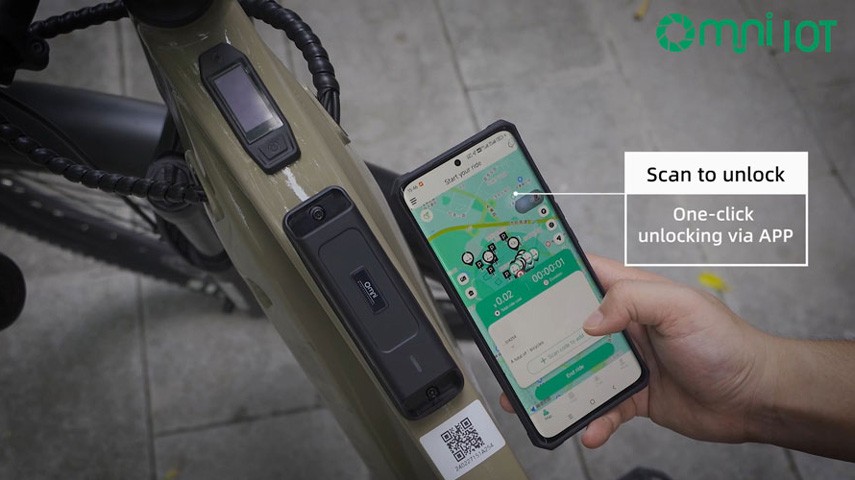
Scan the vehicle QR code to view vehicle usage guidelines and safety tips.Confirm to unlock the vehicle or scan again to change to another vehicle.
Pay After Use
An additional"pay after use"mode is available on top of the regular model,suitable for long-term sharing in places like hotels and scenic areas.
Riding in Progress
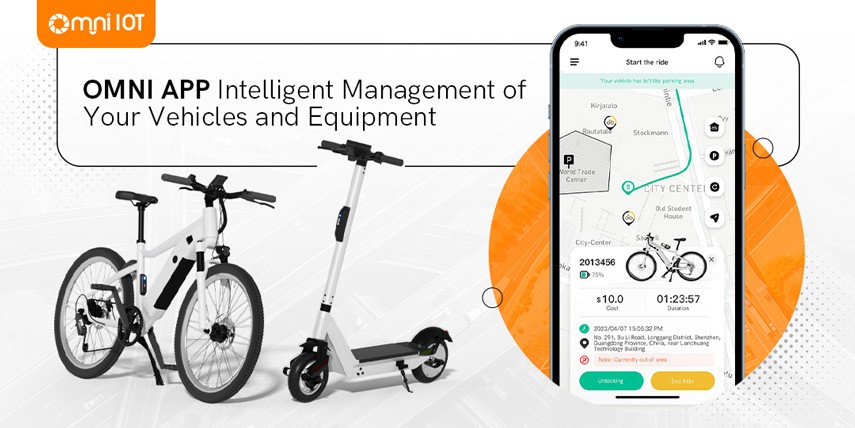
After successful unlocking,the"QR Code to Rent Vehicle"on the homepage changes to"Riding in Progress."
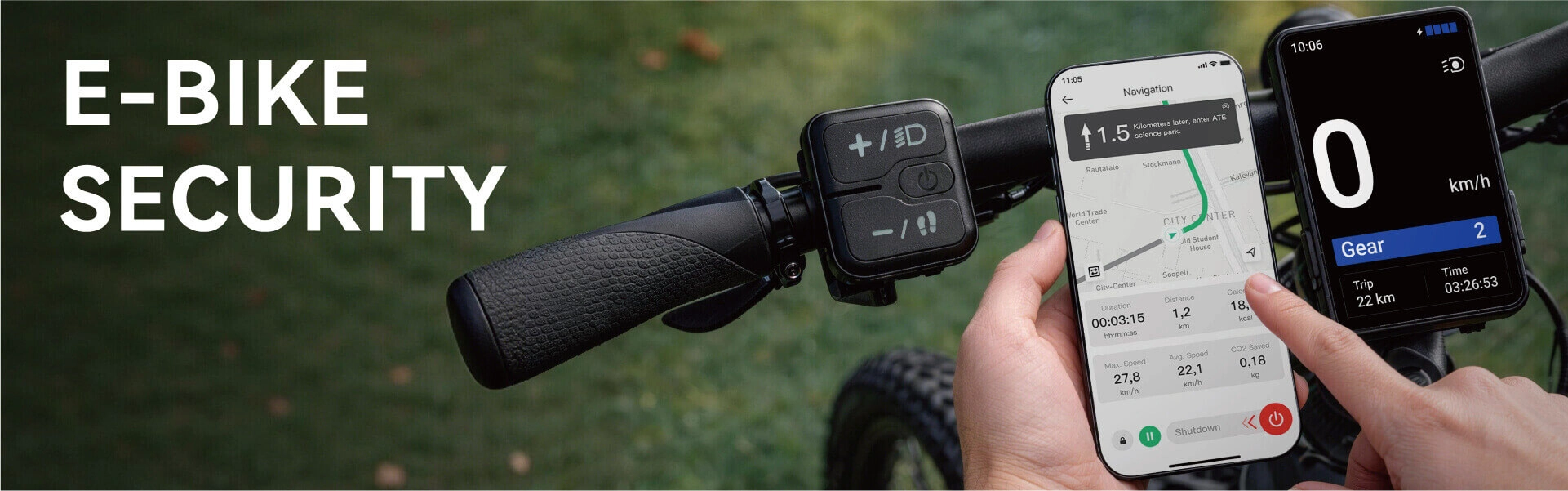
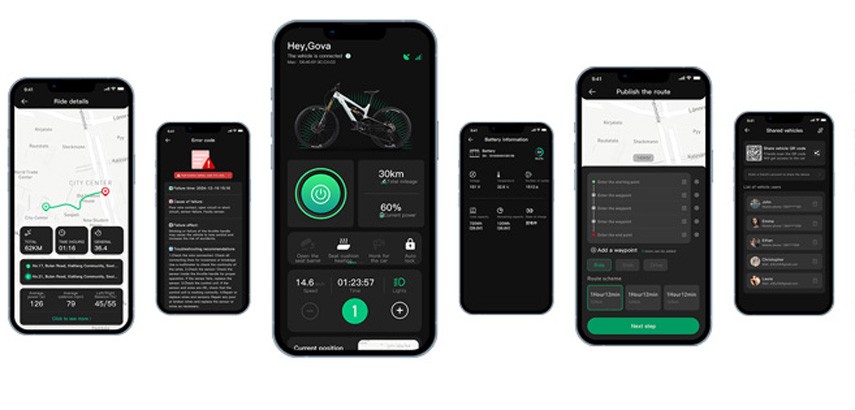
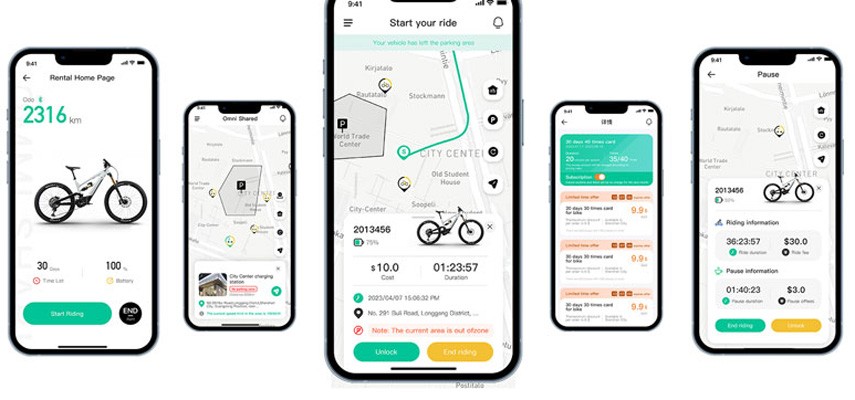
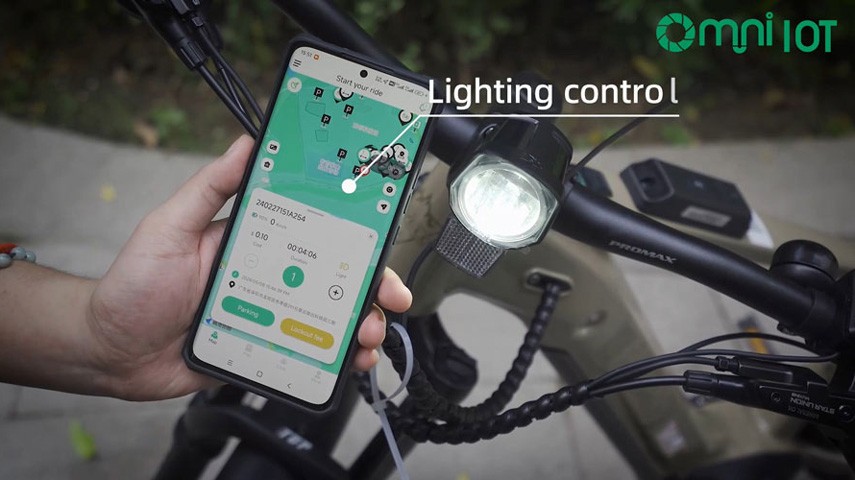
Clicking on"Riding in Progress"allows you to check vehicle number,battery level,riding speed,and duration.
If the pause function is enabled,users can click"Pause"on the bike sharing app to temporarily lock the vehicle.
After completing the ride,click"Lock and End Billing"to view the billing summary,including ride duration,start and end times,amounts for riding,discounts,unlocking,and boundary violations.
In multi-rider mode,users can continue to scan and add vehicles.
View Rules
User guide for proper riding behavior,including guidelines for operation and parking zones.
Advertisements
Promotions for stores and other activities can be displayed with titles,subtitles,and icons.Detailed content can be viewed by clicking the ad.
Riding Card
Users can purchase a riding card that includes its validity period,pre-discount price,discounted price,and the number of available cards.Users can also view the card's rules.
Personal Center
Display and edit personal information,including profile and password changes.
Wallet
View current balance,including principal and bonus amounts.Recharge options may offer bonus balances or coupons.Users can add coupons via a list and view their names and validity periods.
Support for managing bank cards.
Convenient Riding
After scanning or entering the vehicle QR code,users can bind a citizen card with RFID functionality for easy unlocking and locking.
Trip History
View active days,total mileage,calories burned,and carbon emissions.
Click on a trip order to see the ride details,including the track,start and end times,and payment breakdown(ride fee,discounts,unlocking,and boundary violation).
Search Parking
Search nearby locations for parking availability.
Pricing Rules
View pricing rules for the vehicle,including unlocking fees,riding fees,free duration,pause fees,and boundary violation fees.
Fault Reporting
Users can report faults by entering vehicle number,selecting vehicle type,and fault type.The bike sharing system will allow backend staff to analyze and resolve the issue.
User Manual
View user agreements,privacy policies,and contact details.Admins can upload content to the backend for regular review of user feedback.
Customer Service Center
Contact support for help during usage.
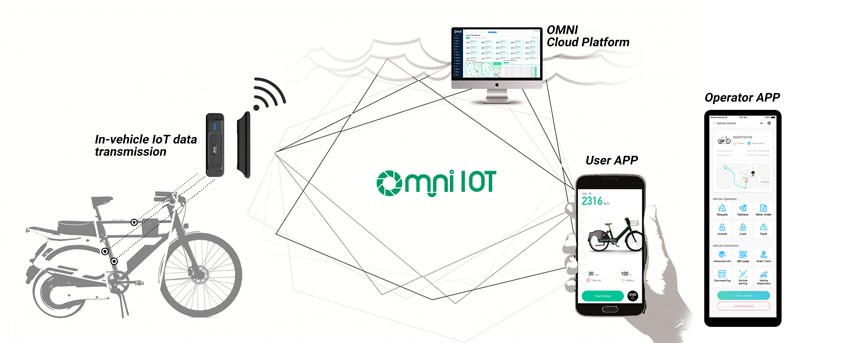
Vehicle Management
Bind vehicles through nearby devices or QR code scanning.View all the vehicles associated with the user.
Riding Control
Users can control the vehicle lock/unlock via the bike sharing app and view ride details on the map.
Vehicle Selection
Users can choose vehicle models,accessories,and delivery methods,confirm the order,and complete payment on the bike sharing app.
Delivery
Once an order is received,staff assign and deliver the vehicle to the user.
Rental Usage
Users can view rental history and control vehicle usage from the rental list.
Return Vehicle
Users can confirm the return of the vehicle before the rental period ends.They can extend the rental period or pay additional fees for vehicle damage if assessed by the admin.
Dynamic Posts
Publish text,images,and routes that other users can view and comment on.This helps increase user engagement by sharing data.
Route Activity
Create route activities,inviting others to join,increasing user engagement.
Product Viewing
View vehicle and accessory-related products in the store.
Product Purchase
Complete purchases using the built-in wallet.
Map
Maintenance staff can search for vehicle locations by status(e.g.,low battery,faults)and quickly find vehicles.
Task Assignment
Maintenance staff can receive tasks from the backend,view task details such as location,task time,vehicle number,and type.Tasks will be added to the maintenance list upon successful assignment.
QR Code Recovery
Maintenance staff can scan the vehicle QR code to recover it,upload the location and photos.The bike sharing system will add the vehicle to the maintenance list once recovery is complete.
Maintenance Center
Maintenance staff can contact backend personnel for assistance during recovery.
Homepage
View maintenance time,earnings,total maintenance count,pending maintenance,in-progress maintenance,and completed maintenance.
Earnings can be reviewed by day,with payment methods such as WeChat or Alipay or others customized.
Maintenance Statistics
View daily,weekly,and monthly maintenance statistics,including the highest maintenance volume and shortest duration.
Maintenance Rankings
View rankings for daily,weekly,and monthly maintenance efforts.
Vehicle Management
Update vehicle status(e.g.,fault status),including QR code and location changes.
Journey Management
Change vehicle QR codes and process refunds(full or partial).
Merchant Settings
Configure vehicle operational status in a region(e.g.,temporarily paused),reducing customer service workload with clear notifications.
Business Statistics
View daily and monthly business performance for merchants with statistical charts.
Merchant Management
Manage basic information,payment types,service details,brand logo,customer service info,and operational settings.
Parking Zone List
Create or modify parking zones,including type(e.g.,recommended,restricted),capacity,and color.
Membership Cards
Create and manage membership cards with pricing,discounts,validity periods,and other details.
Bicycle List
Manage bicycles,including adding,modifying,and deleting.Admins can export the list and perform remote functions like unlocking or finding vehicles.
Map Display
Search for vehicle locations and view details on the map.Admins can filter by online status,lock status,battery status,and fault status.
Model Management
Manage vehicle models by adding or modifying details like images,Bluetooth keys,and operation modes.
Model Pricing
Set pricing for rides,pauses,and other services.
Reservations
Users can reserve vehicles via the map.Once reserved,others cannot unlock the vehicle.
Active Ride
View ongoing ride details,including route,boundary status,and pause status.Admins can end the ride manually if necessary.
Ride Record
View completed ride details including payment status and any fees or discounts applied.
Payment Record
Review payment details for each ride,including method and status.
Recharge Settings
Manage recharge options,including bonus amounts or coupons.
Coupon Settings
Create and manage various types of coupons,such as discounts or free rides.
User Coupons
Generate random coupon codes for users to claim.
Gift Rules
Users can earn coupons for referring friends,registering,completing rides,or recharging.
Vehicle Logs
View logs for vehicle activities,such as unlocking,locking,throttle use,and location.
Abnormal Alerts
Receive notifications for abnormal vehicle conditions such as accidents,boundary violations,or low battery.
Maintenance Record
Maintain records for vehicle collection and deployment.
Maintenance Personnel
Add personnel to the maintenance team and manage their access.
Fault Feedback
View and address user-reported faults.
User List
View user account status,ID,community affiliation,and other relevant details.
User Feedback
Review and respond to feedback submitted by users.
User Violations
Track and manage instances of user violations,including the number and type of violations.
Membership List
View membership card holders and related benefits.
Notification Records
Track messages and notifications sent to users,such as verification codes and abnormal vehicle alerts.
Terms and Help
Manage user agreements,privacy policies,and FAQs.
Ad Information
Manage advertisements shown on the bike sharing app,including banners and promotional content.
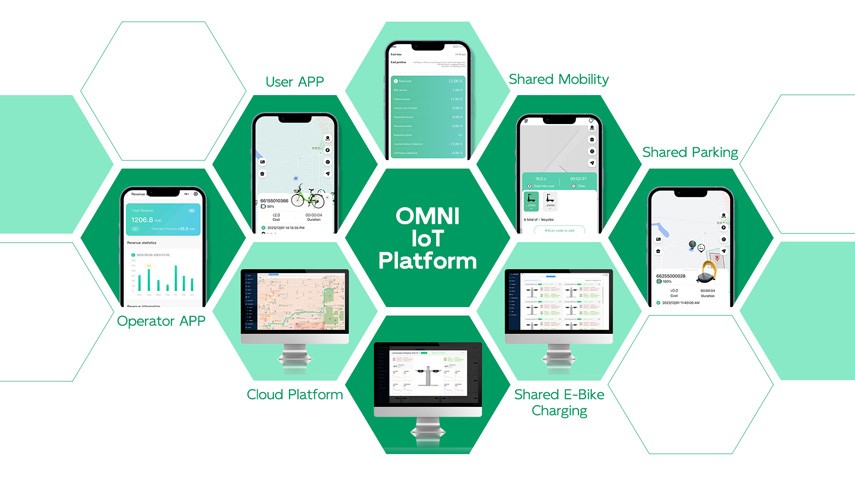
Shenzhen Omni Intelligent Technology Co.,Ltd supports full functionalities of bike sharing app for bicycles ebikes sharing rental businesses.Please contact OMNI IOT for more details via E-mail:info@aiotomni.com.